Lifecycle stage Visitor
The wallet as your app
What does 'link in bio' mean? (And how to make yours do more.)
If you have seen “link in bio” on a post and wondered what it means, the short version is simple: most social platforms let you put only one clickable link on your profile, in the bio. So creators and businesses use that single link to point followers to everything else, their shop, their booking page, their latest drop, their offers.
That is the definition. The more useful question, and the one this guide answers, is what that one link should actually do, because a link in bio can be a dead-end list or the front door to a relationship you own.
What “link in bio” actually means
On platforms like Instagram and TikTok, the links inside your posts and captions are not clickable. The only clickable link most profiles get is the single one in the bio section. That constraint is where the phrase comes from: when someone writes “link in bio,” they are telling you that the clickable version of what they just mentioned lives in that one profile link.
Because every platform funnels interested followers through that single link, it is some of the most valuable real estate you have online. And most people give it the least thought, pointing it at a plain list and moving on.
Why your bio link is the most valuable link you own
Think about the path a new follower takes. They find a post, they want more, and the only door available is your bio link. Everyone curious enough to act passes through it. That makes it your highest-intent traffic: not a random visitor, but someone who already likes what you do and is looking for the next step.
The mistake is treating that moment as a menu handoff. A visitor taps, chooses a destination, leaves, and you learn nothing about them. You cannot follow up, you cannot invite them back, and the next time you want to reach them you are back to hoping the algorithm shows them your post. High-intent attention arrived at your door, and you let it walk away anonymous.
What most link-in-bio tools do, and where they stop
A standard link-in-bio tool turns your one link into a simple landing page: a stack of buttons pointing to your shop, your booking page, your latest content. That is genuinely useful, and for a while it is enough.
The ceiling is that it is anonymous and one-directional. It sends people out and remembers no one. A returning superfan gets the exact same experience as a first-time stranger, and every tap disappears the moment it happens. You get traffic you can never contact again.
What a great link in bio does: three jobs
A link in bio worth having does three things, not one.
- It routes. It still sends people to the right destination quickly, the job the basic tools do well.
- It remembers. A returning visitor is recognized, not treated like a stranger every time.
- It captures. A tap can become a contact you are allowed to reach later, instead of a click that vanishes.
The first job is table stakes. The second and third are what turn a link in bio from a signpost into an asset.
The link in bio that becomes a wallet
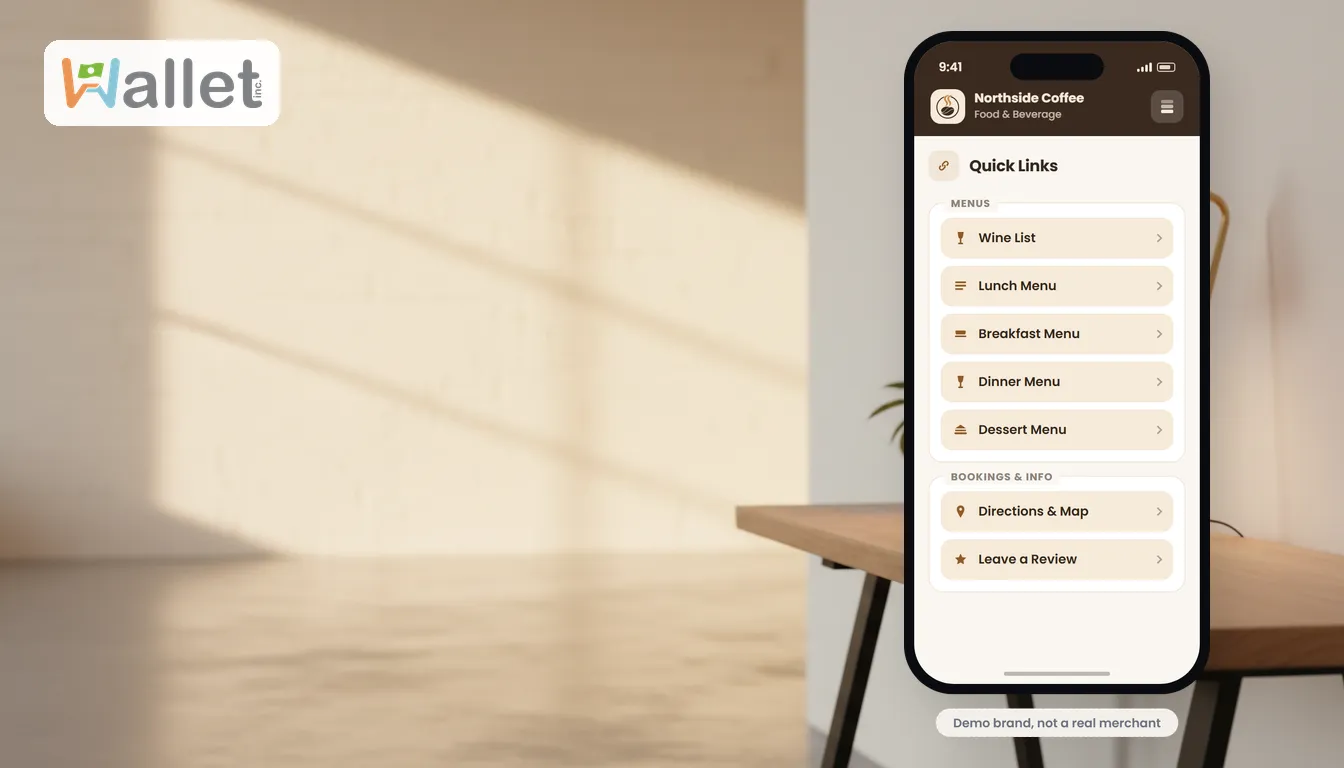
This is the difference with a Wallet link in bio. Instead of a static list of buttons, your link opens a mobile wallet in your brand, with no app for anyone to download. A first-time visitor can join in a single tap and become someone you can actually message. A returning fan is greeted by name, with their offers, pass, or points already waiting.
So the same single link does triple duty: it sends people where they want to go, it recognizes them when they come back, and it quietly builds a list of followers you can reach directly rather than through an algorithm. The link in bio stops being a handoff and becomes the start of a relationship you own. And it is free: your branded link in bio is on a free plan, not a free trial.
What to put on your link in bio, by business type
A good link in bio leads with one priority action and supports it with a few others. What that looks like depends on your business:
- Creators: your latest video or drop, your shop, and a way to subscribe so you are not at the mercy of the feed.
- Cafes and restaurants: your menu, a current offer, order or reservation links, and a way for regulars to save you.
- Salons and service businesses: booking first, then offers, then contact, so a new client can act immediately.
- Retail and boutiques: your shop and new arrivals up top, with a reason to join for early access.
The pattern is the same everywhere: one clear next step, a few useful supporting links, and an easy way for the visitor to become someone you can reach again.
How to set up a link in bio that remembers your visitors
- Claim your free link. Set up your branded wallet link, no app required.
- Add your destinations in priority order. Put the single most important action first.
- Turn on capture. Let a tap become a subscriber, so a visit is not anonymous.
- Add your QR code. Point your in-person touchpoints (counter, packaging, flyers) at the same link.
- Put the one link in every bio. Instagram, TikTok, YouTube, wherever you show up.
- Track and refine. See what gets tapped, and reorder so your best link is on top.
Link in bio best practices
- Lead with one action. A link in bio that asks for everything gets no clicks; make the priority obvious.
- Keep it current. A stale link in bio quietly costs you; update it the moment your priority changes.
- Make it yours. Your colors and logo build trust in the two seconds a visitor decides to stay.
- Bridge offline with a QR code. The same link should work on a poster or a receipt, not just on social.
- Capture, do not just send. The whole point is to end the tap with a contact you can reach again.
Link in bio vs a website, vs a digital business card
A website is your deep, searchable home; a link in bio is the fast, mobile-first front door you point social traffic at. They work together, they do not compete.
A digital business card is a close cousin: where a link in bio is built for your audience at scale, a digital business card is built for one-to-one sharing, a tap or scan that drops your details onto someone’s phone. Many businesses use both, and with Wallet they live in the same place. If most of your traffic is offline, start with a branded QR code pointing at your link.
Common questions
How do I add a link to my Instagram bio? Open Edit Profile, find the website field, and paste your link-in-bio URL there. Anything you mention in a post can then point to “link in bio.”
What should I put in my link in bio? Lead with one priority action, then a few supporting links. See the by-business-type examples above.
Is a link in bio free? Yes. A Wallet link in bio is on the free plan, which is not a trial. You only pay later if you choose to go live with paid tools like sending SMS campaigns.
Can I use the same link for TikTok and Instagram? Yes. One link in every bio keeps things consistent and means you only ever update in one place.
What is the difference from a plain link list? A plain list forgets everyone who taps it. A wallet-based link remembers returning visitors and turns a tap into a contact you can reach.
The one thing to change today
Your link in bio is the most-tapped link you own, and for most businesses it is doing the least. It should not just list other links; it should remember everyone who taps it and give you a way to bring them back. Claim your link and set yours up free.