Lifecycle stage Member
No-app wallet and loyalty
Put your loyalty card in Apple and Google Wallet, no app required
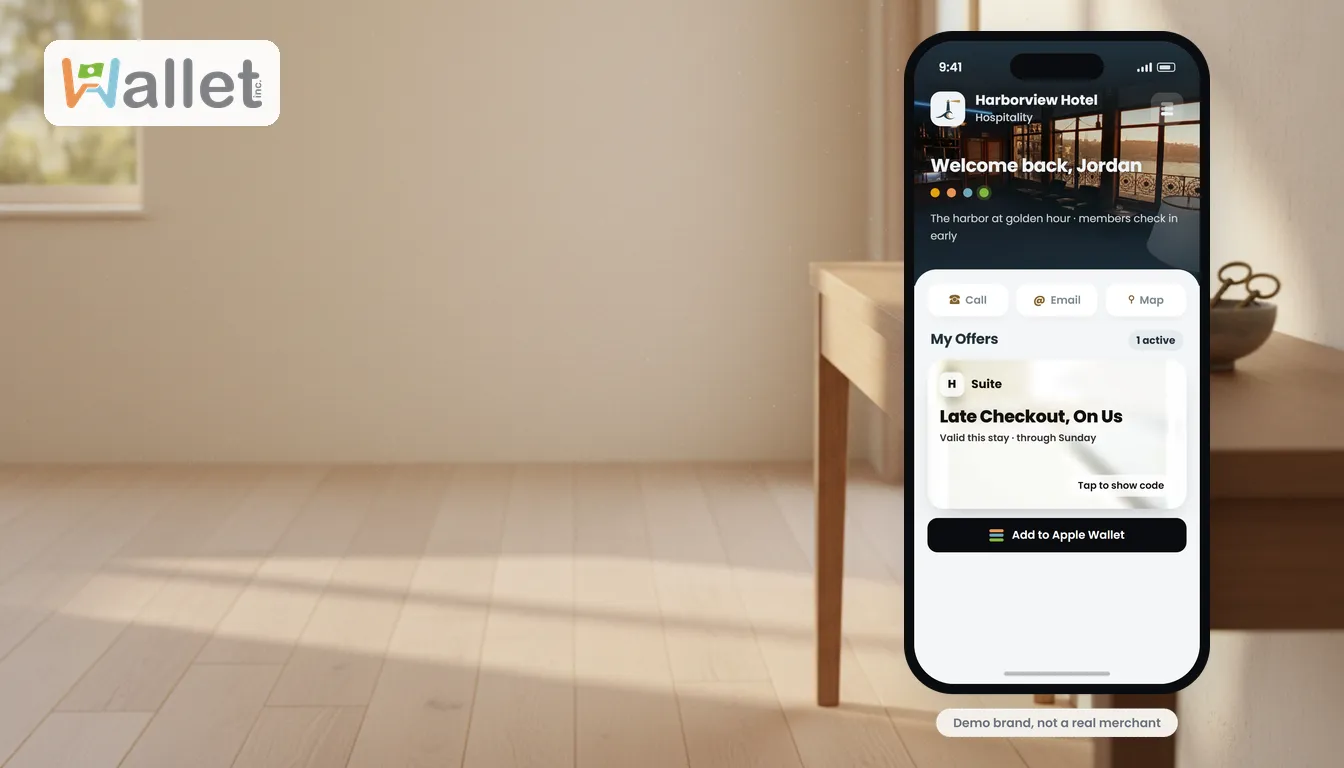
Think about what is actually on your phone right now. Your debit card. A boarding pass from the last trip. Maybe a concert ticket. The things you reach for without thinking, because they live in the one app you never delete: your wallet. Most loyalty cards, by contrast, live in a drawer, on a keyring, or trapped inside an app a customer downloaded once and forgot. The card people keep is the one already next to their debit card. Here is how to get yours there, and why it matters.
What a wallet pass actually is
A wallet pass is not a picture of a card. It is a real pass that sits in Apple Wallet or Google Wallet, next to the boarding passes and the debit card, so it is there the moment the customer needs it, with no app to open first. A screenshot gets lost in a photo roll; a pass stays in the wallet, which, because it is the app people never delete, is a long time.
How to add a loyalty card to Apple Wallet
For a customer, it takes a few seconds:
- Look for an Add to Apple Wallet button on the business’s website, email, or text, or a QR code.
- Tap the button, or scan the QR code with the iPhone camera and tap the link that appears.
- Confirm, and the pass drops into Apple Wallet next to the debit card.
There is no app to install and no account to create first.
How to add it on Android (Google Wallet)
The flow is the same, with a Save to Google Wallet button or QR code. The same pass can be offered on both Apple Wallet (iPhone) and Google Wallet (Android), so a business can reach customers on either phone, wherever it has the passes switched on.
What can go in the wallet, and what lives in the app-free wallet
Not everything belongs on a pass, so it helps to know the split. The loyalty essentials that suit a wallet pass, a points or rewards card, store credit, and standard offers, add cleanly to Apple and Google Wallet. The richer parts of a program, membership tiers and time-limited offers, live in the branded wallet the customer opens straight from a link with no app. In practice a business gets both: the everyday card in the phone’s native wallet, and the full experience a tap away.
Why the wallet card is the one customers keep
An app has to earn a spot on the home screen and survive the next storage cleanup. A wallet pass does not: it sits in the place people already open every day, and it updates its balance, points, or next reward in place. That is the difference between a card a customer forgets and one they use.
Compared to the alternatives, the pass wins on the thing that matters, staying in reach. A paper punch card gets left at home. A plastic keytag clutters a keyring until it is cut off. A downloaded app asks for a download and a login most people never complete. The pass asks for one tap and then lives where the customer already keeps what matters.
Best practices
- Put the add button everywhere the customer already is, the receipt, the confirmation text, the table tent, so adding it is never a special trip.
- Give a reason to add it now, points that start accruing or a welcome reward, so the value is immediate.
- Keep it live, let the balance and rewards update on the pass so it stays worth glancing at.
Where this fits
Putting the loyalty card in the wallet is the Member stage of the customer lifecycle, the point where a repeat customer becomes a recognized regular. It pairs with the fuller picture in wallet-based loyalty and the practical setup in a loyalty program without software.
If you run a business, being the pass in the wallet, rather than the app that gets deleted, is the whole game. That is what a no-app wallet program is for. See how no-app wallet passes work.