Lifecycle stage Visitor
The wallet as your app
What a mobile wallet does that a website can't: it stays
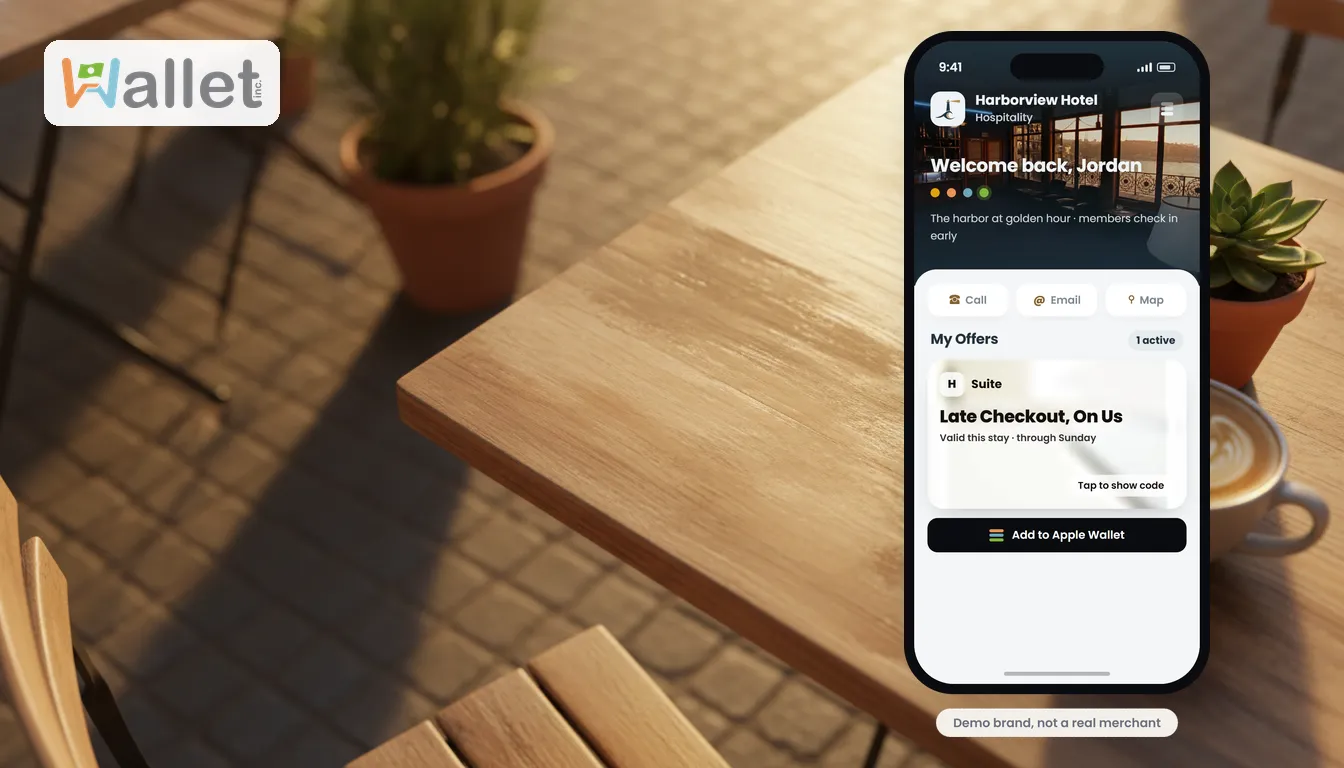
Your website is almost certainly mobile-friendly already. It reflows to fit a phone, the buttons are big enough to tap, the text is readable without pinching. Good. That is table stakes now, and it is not where the interesting question is.
Here is the interesting question: what happens the moment a customer closes the tab?
With a website, the answer is nothing. It is gone. They visited, and then they left, and you are back to hoping they remember your name and type it in again someday. A website is a place a customer visits. A mobile wallet is something they keep. Close the website and it vanishes; close the wallet and you are still in their phone, in the places they actually look.
That is the whole reframe, and it is worth sitting with, because it moves the conversation from “my website versus a nicer website” to something else entirely: a thing they leave versus a thing they leave behind.
Mobile-friendly reaches the screen. A wallet reaches the phone.
The distinction is simple once you see it. Mobile-friendly means your site adapts to the screen. That is the one surface a website can touch, and it is the only one. A wallet runs on the phone the way an app does, so it reaches everything behind the screen: the dialer, the address book, the calendar, the share sheet, the Apple and Google Wallet apps, the home screen itself. Those are not features a website is missing; they are a part of the phone a website was never allowed to touch.
What it leaves behind
This is the proof, and every item is something that stays with the customer after they have moved on:
- Save Contact, and you are in their address book as a real contact, name, number, and address, ready the next time they need you.
- Save to Calendar, and your event is on their calendar with a reminder, not on a page they have to remember to revisit.
- Add to Apple or Google Wallet, and your pass sits next to their boarding passes and debit card, available on iPhone and Android alike wherever you switch it on.
- Add to Home Screen, and your icon and name live on their phone, launching full-screen like the app you never had to build.
And in the moment, the same wallet lets a customer act without leaving: tap to call and the dialer opens, tap for directions and the maps app draws the route, tap to share and the phone’s own share sheet hands you to a friend.
The one move that makes it land
You do not need the whole list to land the point. You need one, live. Hand a prospect the phone and say: “Tap Save Contact. Now close the wallet.” Then: “You didn’t lose me. I’m in your contacts. Your website can’t leave anything behind.” That is the moment the reframe clicks, because they felt it instead of hearing it. Everything else in this piece is just more of what a wallet can leave behind.
It opens without a password, and it remembers them
Two smaller things that keep the experience feeling native rather than like a form. To get in, a customer enters their phone number and a six-digit code is texted over, autofilling on most phones, so there is no password to invent or forget. And the wallet remembers where they were without a login, so a prize they won or an offer they claimed is still waiting the next time, with nothing to sign back into.
Why this matters for a business
Your customers live on their phones, and their phones are already full of the things they chose to keep. A website asks to be visited. A wallet asks to be kept, and once it is, you are no longer a tab that gets closed; you are a contact, an event, a pass, an icon, sitting in the phone alongside everything else that made the cut.
None of this replaces your website. It sits alongside it and picks up exactly where a page runs out of road, at the moment a customer wants to keep you rather than just look at you.
Where this fits
This is the Visitor stage of the customer lifecycle, the first touch, where a stranger with your link becomes someone who can carry you with them. It runs on the same idea as a wallet you install like an app, powers a digital business card that saves itself to Contacts, and leads into a loyalty card that lives in Apple and Google Wallet.
If you want to feel it rather than read about it, see a wallet plug into a phone. It is the difference between a place your customer visits and a thing your customer keeps.